Game PackageGame PackageGAME PACKAGE™
SubscriptionsLeaderboardAssets
Game PackageGame PackageGame Package

Unity assets, ready-made projects, and subscriptions in one storefront.

Explore

  • Subscriptions
  • Leaderboard
  • Assets
  • Ready-made
  • Search
© 2026 Game Package. All rights reserved.gamepackage.net
Opening asset
The Visual Engine

By BOXOPHOBIC

The Visual Engine

Documentation | Join Discord | Contact Welcome! All asset-related discussions are moving to Discord . Join us for more information, updates, if you experience any issues, or if you just want to say hi! Please check the...

Likes

5

Updated

10/22/2026

Main version

v22.2.1

Add version

Published

Jun 27, 2026

Category channels

Toolsutilities

Available builds

v21.7.0v21.8.0v21.9.0v22v22.1.0v22.2.0v22.2.1

Asset description

Documentation | Join Discord | Contact Welcome! All asset-related discussions are moving to Discord . Join us for more information, updates, if you experience any issues, or if you just want to say hi! Please check the description, limitations, disclaimers before buying the asset! ○ Unity Awards Publisher Of The Year 2023 - 4th Place Best Development Tool 2020 - 2nd Place Best Development Tool 2018 - 3rd Place ○ About the upgrade The Vegetation Engine was released 5 years ago and it got over 80 free major updates over the years. Due to the older design, once the asset and the modules started to grow, they were harder to maintain and to add new features. The Visual Engine is a new product, completely re-designed to be more extensible, more powerful, easier to use, and it comes with dozens of new features! Check out the comparison highlights and more details here ! ○ The Visual Engine The Visual Engine is a set of next-level shaders and powerful tools designed to unify any asset from the Unity Asset Store, Megascans, Speedtree, Tree Creator, and more, or custom models made by your team. Enable high-quality wind motion, interaction, local wind control, seasons, wetness, dynamic rain, advanced snow, subsurface scattering, layers for scans and moss, top projection, detail blending, gradient and variation tint, vertex occlusion, perspective correction, camera distance fade, glancing angle fade, crossfade, size fade, and more, for all vegetation assets and props with Standard, Universal, or HD Render Pipeline! ○ Advanced Systems The Visual Engine comes with a one-click conversion workflow for 3rd party assets. Once converted, the assets are fully compatible with all features provided by the asset and will work in all render pipelines! The converter uses text-based presets with an easy-to-use but comprehensive API. One click, everything unified! The Visual Engine comes with a comprehensive set of modular elements, used for motion and interaction with unlimited characters, local wind, dynamic seasons, global overlay (snow, sand, dust), wetness, tinting, size control, and leaves amount with minimal performance impact! The elements work with layers, so you can customize how each material is affected globally by each element used in the scene. The Visual Engine includes an advanced Material Manager tool to set the settings for multiple materials or prefabs at once or save and apply presets. Use the Shader Manager to add support to the most popular instanced indirect renderer and use the Scene Debugger to check any aspect regarding rendering or shader settings! ○ Community With constant updates and improvements, all BOXOPHOBIC assets are trusted by tens of thousands of game developers. Feel free to join our Discord server or get in touch via email if you need any help or if you want to discuss more advanced topics about the assets. ○ Compatibility The Visual Engine supports the following render pipelines: ✓ Standard Render Pipeline 2022.3+ ✓ Universal Render Pipeline 2022.3 / 6.0 - 6.6 ✓ HD Render Pipeline 2022.3 / 6.0 - 6.6 The Visual Engine supports the following modules: ✓ The Visual Engine • Amplify Impostors Module ✓ The Visual Engine • Terrain Shaders Module ✓ The Visual Engine • Terrain Blanket Module ✓ The Visual Engine • Terrain Elements Module The Visual Engine supports the following 3rd party tools: ✓ Amplify Shader Editor - Full shader editing support ✓ Foliage Renderer - Procedural Instancing support ✓ Nature Renderer - Procedural Instancing support ✓ GPU Instancer - Instanced Indirect support ✓ Flora 2.0 - Procedural Instancing support ✓ Vegetation Studio Pro - Instanced Indirect support ✓ Mega World Quadro Renderer - Procedural Instancing support ✓ Vladislav Tsurikov Instant Renderer - Procedural Instancing support ✓ DE Environment - Conversion for DE Environment ✓ Magio - Interactive Effect Engine support (by Arctibyte OAVA) ✓ Ignis - Interactive Fire System support (by Arctibyte OAVA) ✓ Game Creator - Actions for TVE control (by RVR) ✓ Game Creator 2 - Actions for TVE control (by Auxilium) ✓ Enviro - Enviro to TVE control (by CatGamesStudio) The Visual Engine supports vegetation created with the following tools: ✓ Speedtree - Profesional vegetation creation tool ✓ Broccoli Tree Creator - Powerful tree creation tool for the Unity ✓ Unity Tree Creator - Built-in Unity tree creation tool ✓ CTI - Advanced vegetation importer tool ✓ TreeIt - Free vegetation creation tool ✓ MTree (procedural setup) - Powerful tree creation tool for the Unity The Visual Engine supports the following 3rd party vegetation assets: ✓ Any Asset - User setup or Automatic setup ✓ Quixel Megascans - All vegetation assets ✓ Synty Studios - Biomes Nature Packs ✓ Nature Manufacture - All vegetation assets

  • Please note, with the Visual Engine's complete redesign, the old presets for supported assets are not yet updated! More presets are added in steps! ○ Limitations 🞫 TVE is not a placement tool, it is a vegetation unification/detailing tool 🞫 TVE is designed to work with instancing, static batching support is limited 🞫 The shaders are not designed for mobile development! 🞫 Scalable Ambient Obscurance is not supported in Forward Rendering 🞫 Billboard Renderers from Speedtree7, Tree Creators, and CTI are not supported. Speedtree7 billboard faces are not supported! 🞫 Billboard shaders for VSP and GPUI will not work with the TVE features! 🞫 HDRP ray tracing and path tracing are not fully supported! 🞫 Only the latest LTS Unity versions are officially supported! ○ Disclaimers ⚑ The Visual Engine will not do a 1:1 conversion for the assets. Even if in most cases the converted prefabs will look similar to the original asset, depending on the original shaders, lighting can change, colors can change, various features could not work anymore and the wind animation will definitely be different. After conversion, material tweaks will be required! ⚑ This is not a vegetation placement tool, but it can be used together with your favorite tools supporting instanced indirect such as Vegetation Studio, Nature Renderer, GPU Instancer, Mega World, or other placement tools like Microverse, Gaia, Map Magic, Terra World, etc... ⚑ With the release of the Visual Engine, the Vegetation Engine will not be updated anymore, but it will get critical fixes for a limited time. If you purchased any of the modules and you need older versions compatible with the Vegetation Engine, feel free to contact me!
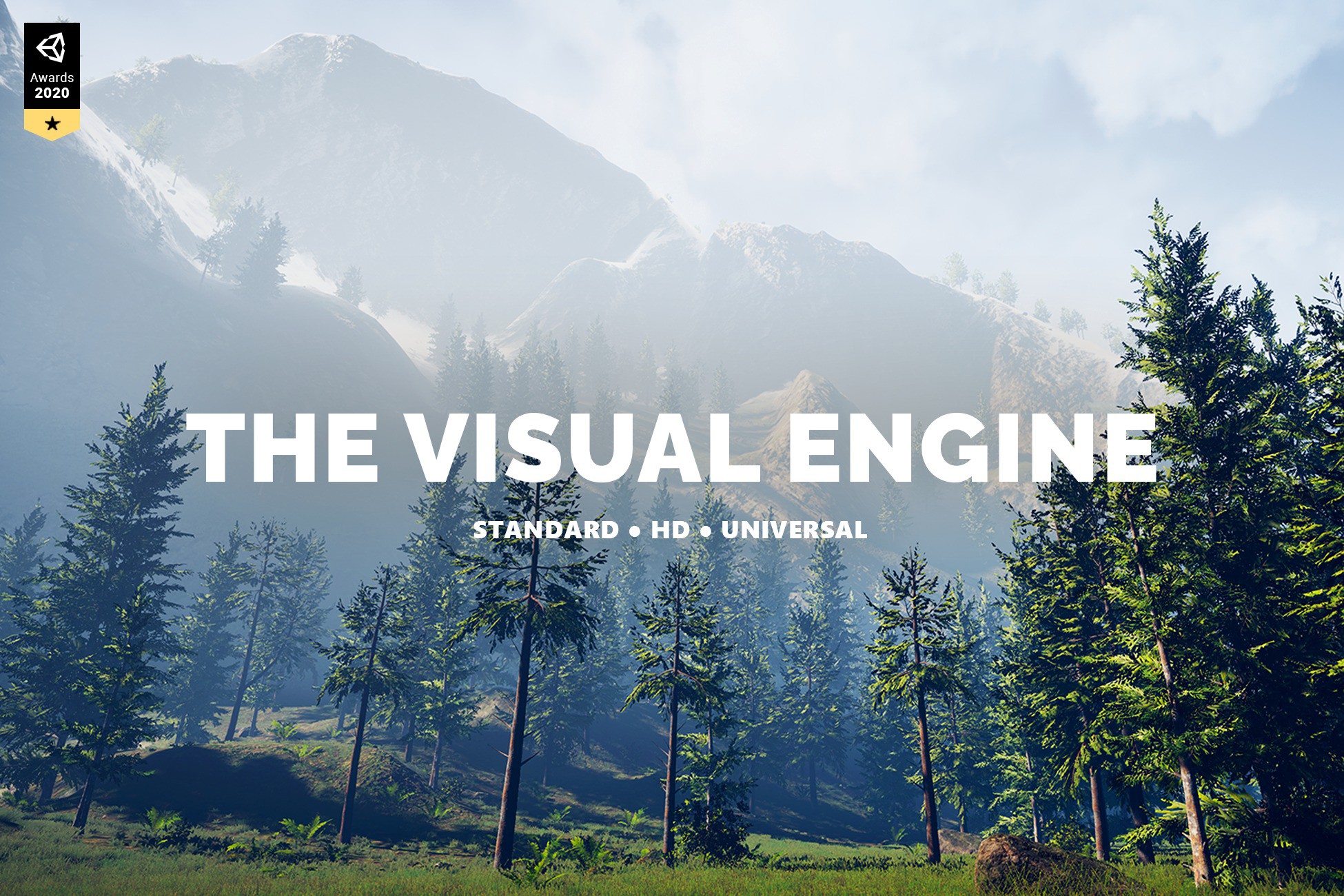
Package overview

The Visual Engine by BOXOPHOBIC is a Unity asset listed on Game Package. Its catalog categories are Tools, utilities.

Requirements and compatibility

No render pipeline compatibility is specified for the published builds on this page.

Check the package description and the original listing for minimum editor versions, dependencies and import instructions before adding the asset to an existing project. View the Unity Asset Store listing.

Versions on Game Package

The current version listed here is 22.2.1.

  • v21.7.0
  • v21.8.0
  • v21.9.0
  • v22
  • v22.1.0
  • v22.2.0
  • v22.2.1

More assets by BOXOPHOBIC

  • The Visual Engine | Terrain Blanket Module

    By BOXOPHOBIC

    Version 22.2.1

    Documentation | Join Discord | Contact Welcome! All asset-related discussions are moving to Discord . Join us for more information, updates, if you experience any issues, or if you just want to say hi! Please check the description, limitations, disclaimers before buying the asset! ⚠ Requirements The latest version of the Visual Engine is required for the module to work! The Visual Engine is a set of high-quality shaders and tools designed to unify 3rd party assets under the same shader system. Enable high-quality wind motion, interaction, seasons, wetness, subsurface, layers, variation, etc. for all assets with Standard, Universal, or HD Render Pipeline! ○ Overview The Terrain Blanket module allows you to conform and align big patches of grass or groups of rocks, which would only work for flat surfaces, to the terrain surface and normal direction. The shaders are using the pre-baked pivots to treat each sub-mesh as an individual object, allowing you to use fewer grass objects while covering bigger areas. Or it can simply conform objects like roots to the terrain surface like a 3D mesh decal. The Terrain Blanket module supports seamless object-to-terrain blending when the Terrain Shaders module is used! ○ Compatibility The Terrain Blanket Module supports the following Render Pipelines: ✓ Standard Render Pipeline 2022.3+ ✓ Universal Render Pipeline 2022.3 / 6.0 - 6.6 ✓ HD Render Pipeline 2022.3 / 6.0 - 6.6 The Terrain Blanket Module has integration with the following 3rd party tools: ✓ Amplify Shader Editor - Full shader editing support ✓ GPU Instancer - Instanced Indirect support ✓ Nature Renderer - Procedural Instancing support ✓ Instant Renderer - Procedural Instancing support ✓ Vegetation Studio - Instanced Indirect support ✓ Vegetation Studio Pro - Instanced Indirect support The Terrain Blanket Module supports the following add-ons: ✓ The Visual Engine • Terrain Shaders Module (Terrain Blending) ✓ The Visual Engine • Terrain Elements Module ○ Features ✓ The Visual Engine systems support: All systems ✓ The Visual Engine elements support: All elements ✓ Terrain height conform ✓ Terrain orientation alignment ✓ Terrain layer blending designed to work with the Terrain Shaders Module ✓ Amplify Shader Editor support ✓ Conform and blending demo scenes included ○ Limitations 🞫 The shaders are not designed for mobile development! 🞫 Scalable Ambient Obscurance is not supported in Forward Rendering 🞫 Only the latest LTS Unity versions are officially supported! ○ Disclaimers ⚑ The Blanket shaders are designed to conform to the terrain surface, and by their nature, they cannot be used with the Amplify Impostors module! If you are using Nature Renderer , it already aligns the details to the terrain normals by default! ⚑ The Blanket shaders are only designed to work with big grass patches and planar meshes and conforming is only a visual effect, mesh colliders will not be affected and they will not conform to the terrain! ⚑ With the release of the Visual Engine, the Vegetation Engine will not be updated anymore, but it will get critical fixes for a limited time. If you purchased any of the modules and you need older versions compatible with the Vegetation Engine, feel free to contact me! ○ More Assets ✓ The Visual Engine • Unified shaders for any asset ✓ The Visual Engine • Amplify Impostors Module ✓ The Visual Engine • Terrain Shaders Module ✓ The Visual Engine • Terrain Elements Module ✓ Atmospheric Height Fog • Optimized fog for consoles, mobile, and VR ✓ Polyverse Skies • Low poly skybox shaders ✓ Free Skybox Shader • Cubemap Extended shader

    • shaders
    • VFX
  • Atmospheric Height Fog

    By BOXOPHOBIC

    Version 4.2.0

    Add depth to your project with Atmospheric Height Fog | Optimized Fog for Consoles, Mobile and VR asset from BOXOPHOBIC. Find this & more VFX options on the Unity Asset Store.

    • fullscreen camera effects
    • shaders
    • VFX
  • The Visual Engine | Terrain Elements Module

    By BOXOPHOBIC

    Version 22.2.0

    Documentation | Join Discord | Contact Welcome! All asset-related discussions are moving to Discord . Join us for more information, updates, if you experience any issues, or if you just want to say hi! ⚠ Requirements The latest version of the Visual Engine is required for the module to work! The Visual Engine is a set of high-quality shaders and tools designed to unify 3rd party assets under the same shader system. Enable high-quality wind motion, interaction, seasons, wetness, subsurface, layers, variation, etc. for all assets with Standard, Universal, or HD Render Pipeline! ○ Overview The Terrain Elements Module is a set of element shaders designed to control the vegetation color, size, overlay, cutout, wetness, emissive, and subsurface for each individual painted terrain layer, based on splat maps. The Terrain Elements Module works with any terrain painting system capable of generating or exporting splat maps, such as the Unity Terrain or MicroSplat. ○ Compatibility Terrain Elements supports the following Render Pipelines: ✓ Standard Render Pipeline 2022.3+ ✓ Universal Render Pipeline 2022.3 / 6.0 - 6.6 ✓ HD Render Pipeline 2022.3 / 6.0 - 6.6 Terrain Elements has integration with the following 3rd party tools: ✓ Amplify Shader Editor - Full shader editing support ○ Features ✓ 16 terrain layers supported ✓ Demo and full source included ✓ Paint Elements: Tinting, Tinting Intensity ✓ Atmo Elements: Dryness, Overlay, Wetness, Cutout ✓ Glow Elements: Emissive, Subsurface ✓ Form Elements: Size Fade ○ Disclaimers ⚑ With the release of the Visual Engine, the Vegetation Engine will not be updated anymore, but it will get critical fixes for a limited time. If you purchased any of the modules and you need older versions compatible with the Vegetation Engine, feel free to contact me! ○ More Assets ✓ The Visual Engine • Unified shaders for any asset ✓ The Visual Engine • Amplify Impostors Module ✓ The Visual Engine • Terrain Blanket Module ✓ The Visual Engine • Terrain Shaders Module ✓ Atmospheric Height Fog • Optimized fog for consoles, mobile, and VR ✓ Polyverse Skies • Low poly skybox shaders ✓ Free Skybox Shader • Cubemap Extended shader

    • shaders
    • VFX
  • Polyverse Skies | Low Poly Skybox Shaders

    By BOXOPHOBIC

    Version 3.8.0

    Documentation | Join Discord | Contact Welcome! All asset-related discussions are moving to Discord . Join us for more information, updates, if you experience any issues, or if you just want to say hi! Please check the description and limitations before buying the asset! ○ Overview Highly optimized and customizable skybox shaders fit for low poly style games, built with Amplify Shader Editor for Console, Mobile, and VR, with perspective and orthographic camera support. Customize your skies with 3 color gradient background, sky pattern overlays, animated clouds, sun-lit clouds, sun and moon, twinkling stars, Unity’s built-in fog, and high-quality textures even at 4K gaming. ○ Compatibility Polyverse Skies supports the following Render Pipelines: ✓ Standard Render Pipeline ✓ Universal Render Pipeline Polyverse Skies has integration with the following 3rd party tools: ✓ Amplify Shader Editor - Full shader editing support ○ Features ✓ Generate a prebaked cubemap from the scene skybox | NEW ✓ Generate a cubemap with custom made clouds meshes | NEW ✓ Amplify Shader Editor graph included ✓ Basic Time Of Day via Day-Night material interpolation ✓ Highly customizable skybox shaders ✓ Console, Mobile, and VR-optimized shaders ✓ Feature toggles for easier usage and performance ✓ Perspective and Orthographic camera support ✓ Unity’s Built-in Fog support ✓ Zero global shader keywords used(2019.1+) ✓ Ready-made presets included ✓ Sky, Horizon, and Ground colors support ✓ Horizon height and smoothness adjustment ✓ 3 Pattern overlay cubemaps at 2K resolution ✓ 5 Stars cubemaps at 2K resolution ✓ 3 Layers of stars ✓ Stars size, intensity, and twinkling adjustment ✓ Stars horizon and sun mask ✓ 6 Sun and Moon textures at 2K resolution ✓ Sun position controlled by directional or user gameobject ✓ Size, color, and intensity adjustment ✓ Moon meshes included ✓ 10 Low poly clouds cubemaps at 4K resolution ✓ Clouds lit by directional light ✓ Rotation and animation support ✓ Height, light, and shadow colors adjustment ✓ Clouds meshes included ○ More Assets ✓ The Visual Engine • Unified shaders for any asset ✓ The Visual Engine • Amplify Impostors Module ✓ The Visual Engine • Terrain Elements Module ✓ The Visual Engine • Terrain Blanket Module ✓ Atmospheric Height Fog • Optimized fog for consoles, mobile, and VR ✓ Polyverse Wind • Wind shaders compatible with any low poly assets ✓ Free Skybox Shader • Cubemap extended shader

    • shaders
    • VFX
  • The Visual Engine

    By BOXOPHOBIC

    Version 21.6.0

    Add depth to your next project with The Visual Engine | Integration for HTrace WSGI from BOXOPHOBIC. Find this & more VFX Shaders on the Unity Asset Store.

    • shaders
    • VFX
  • The Visual Engine

    By BOXOPHOBIC

    Version 21.6.0

    Add depth to your next project with The Visual Engine | Terrain Shaders Module from BOXOPHOBIC. Find this & more VFX Shaders on the Unity Asset Store.

    • shaders
    • VFX

Related utilities assets

  • FSR 4 Redstone - Upscaling for Unity

    By The Naked Dev

    Version 1.1.8

    Use the FSR 4 Redstone - Upscaling for Unity from The Naked Dev on your next project. Find this utility tool & more on the Unity Asset Store.

    • Tools
    • utilities
  • Amplify Impostors

    By Amplify Creations

    Version 1.1.0

    Use the Amplify Impostors from Amplify Creations on your next project. Find this utility tool & more on the Unity Asset Store.

    • Tools
    • utilities
  • Ultimate Preview – Animator Add-on

    By Voxel Labs

    Version 2.1.0

    Use the Ultimate Preview – Animator Add-on from Voxel Labs on your next project. Find this utility tool & more on the Unity Asset Store.

    • Tools
    • utilities
  • ScriptableObjects Tools

    By Ciro Continisio

    Version 2.1.0

    Use the ScriptableObjects Tools from Ciro Continisio on your next project. Find this utility tool & more on the Unity Asset Store.

    • Tools
    • utilities
  • GPU Instancer Pro

    By GurBu Technologies

    Version 0.12.21

    Use the GPU Instancer Pro from GurBu Technologies on your next project. Find this utility tool & more on the Unity Asset Store.

    • Tools
    • utilities
  • Eadon Advanced Crafting

    By Unknown author

    Version 2.2

    Use the Eadon Advanced Crafting from Cogs & Goggles on your next project. Find this utility tool & more on the Unity Asset Store.

    • Tools
    • utilities