Links: Manual | Discussions
✨ This asset is part of the UI Toolkit Bundle 2. ✨
😎 No coding skills required.
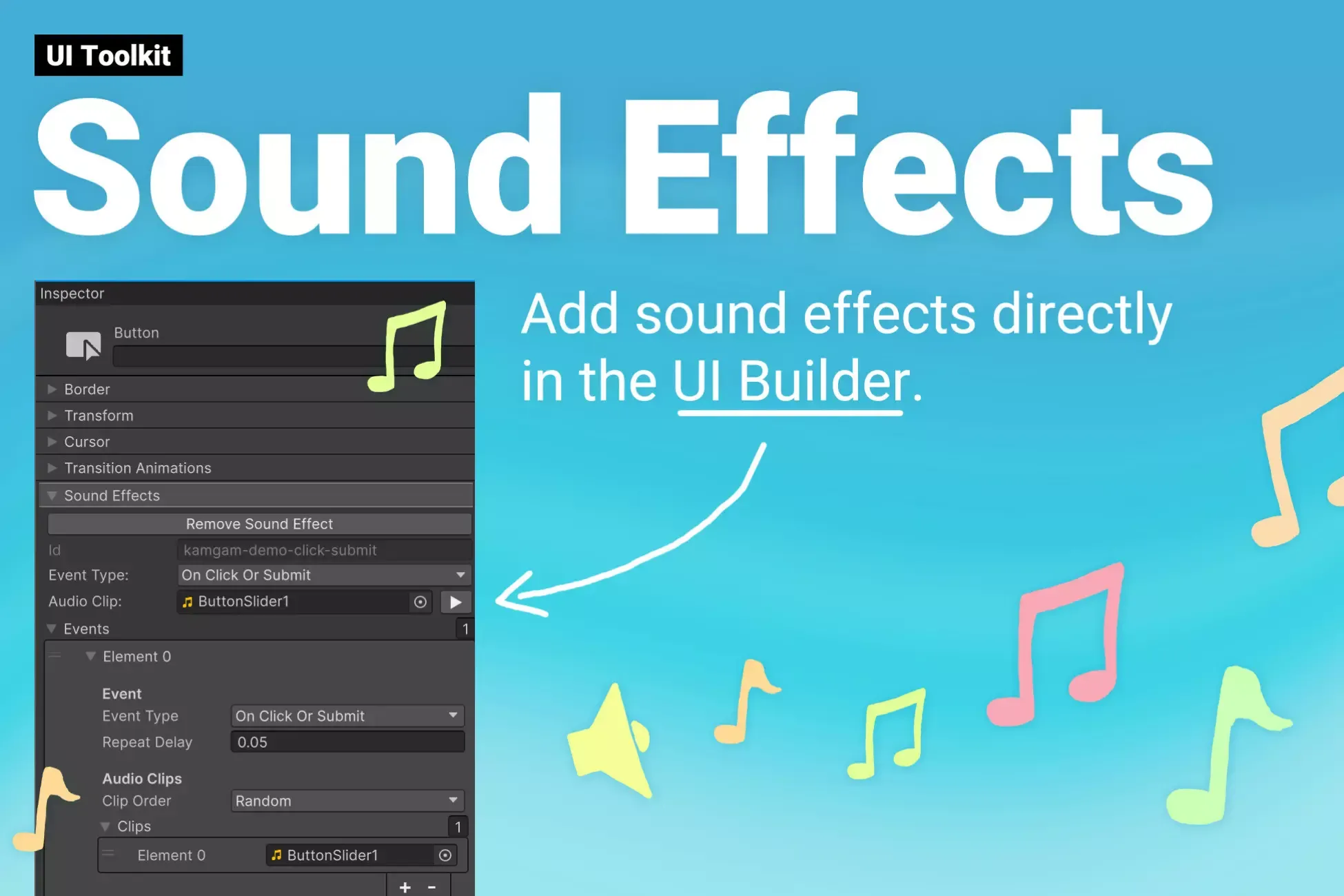
Simply click the "Add Sound Effect" button and configure it inside the UI Builder.
💫 Non-Destructive
Add sounds to your existing UI. No custom element required because it uses Manipulators. All you need is a USS class or a custom style.
🚀 Custom Styles
Supports adding sound effects via custom style "--kamgam-sfx-id".
📚 Lots of examples & documentation
Check out Kamgam/UIToolkitSoundEffects/Examples.
✔️ Scripting API
Easy to use extensions methods. Just do element.SEAddEffect(id) to add an effect at runtime. There are UnityEvents (and delegates) for sound events so you can trigger your own or third-party code easily. Please check out the manual for more details.
✔️ Supports Unity 2022.3+, 2023, Unity 6, ... LTS
It may work with earlier versions too but those are not tested anymore.
*Please notice that Unity 2023 was succeeded by Unity 6. I highly recommend skipping 2023 and using 6 instead.
✔️ Supports WebGL & lL2CPP, Mobile, Desktop, Console, ..
Runs pretty much anywhere. Try before you buy:
Pc Demo
Android Demo
WebGL Demo
✔️ Full Source Code
I publish this asset with full source code because as a developer I know how annoying it is to not have source code access. If you like it then please remind others to purchase the plugin. Don't just copy and paste it everywhere. Thank you ❤️
👇 Things you should know 👇 (Read this before you buy):
⚠️ This is NOT for the default (uGUI) UI system. It is for the new UI Toolkit.
There is an FAQ section in the manual. Please go read it first if you have any questions.
✍️ Usage
-
Open th UI Builder window. Select and element.
-
Scroll down to the "Sound Effects" section
-
Click "Add new sound effect" and configure it.
-
Done
😎 HINT 1:
You can use custom styles (or scripts) to add sound effects to all your buttons. Much more convenient than adding them manually one by one.
🧐 HINT 2:
The AudioSourceSettings allows you to tweak the playback settings just like a regular AudioSource would.
🤠 HINT 3:
You can have react to multiple events per effect (check out the toggle in the examples).
☎️ Support
If you have any questions please write to office[at]kamgam.com. Please be patient, replies may take a few days. Please include your Asset Store Order Nr and the exact Unity version in your request. Please also try upgrading to the most recent Unity LTS version and Asset version before asking. Thank you.
❤️ If you like this asset then maybe you'll like these too:
🚀 UI Toolkit Bundle
One bundle for all your UI Toolkit needs.
✨ UI Toolkit Particles
Particle Image for your UI.
😲 UI Toolkit Blurred Background
Blur your scene in the background.
😺 UI Toolkit Shadows, Outlines & Glow
Make your UI elements stand out.
🔑 License Info
This asset requires one license per seat (user who has access to the asset files). If you are a team then please consider buying one seat per Unity user.
Why am I telling you this?
Because most people do not know. In fact any asset found under the Tools category automatically falls under a license type that Unity calls Extension Assets (see official license explanation) which differs from the standard (Entity) license.
If you have questions about the license then please contact me under office[at]kamgam.com.
Sign in to offer a newer .unitypackage for this asset. Uploads are reviewed before they appear.