Overview
Convert Unity terrains into optimized mesh assets with baked textures, LOD groups, and FBX export. Ideal for the creation of e. g. backdrop environments like mountains.
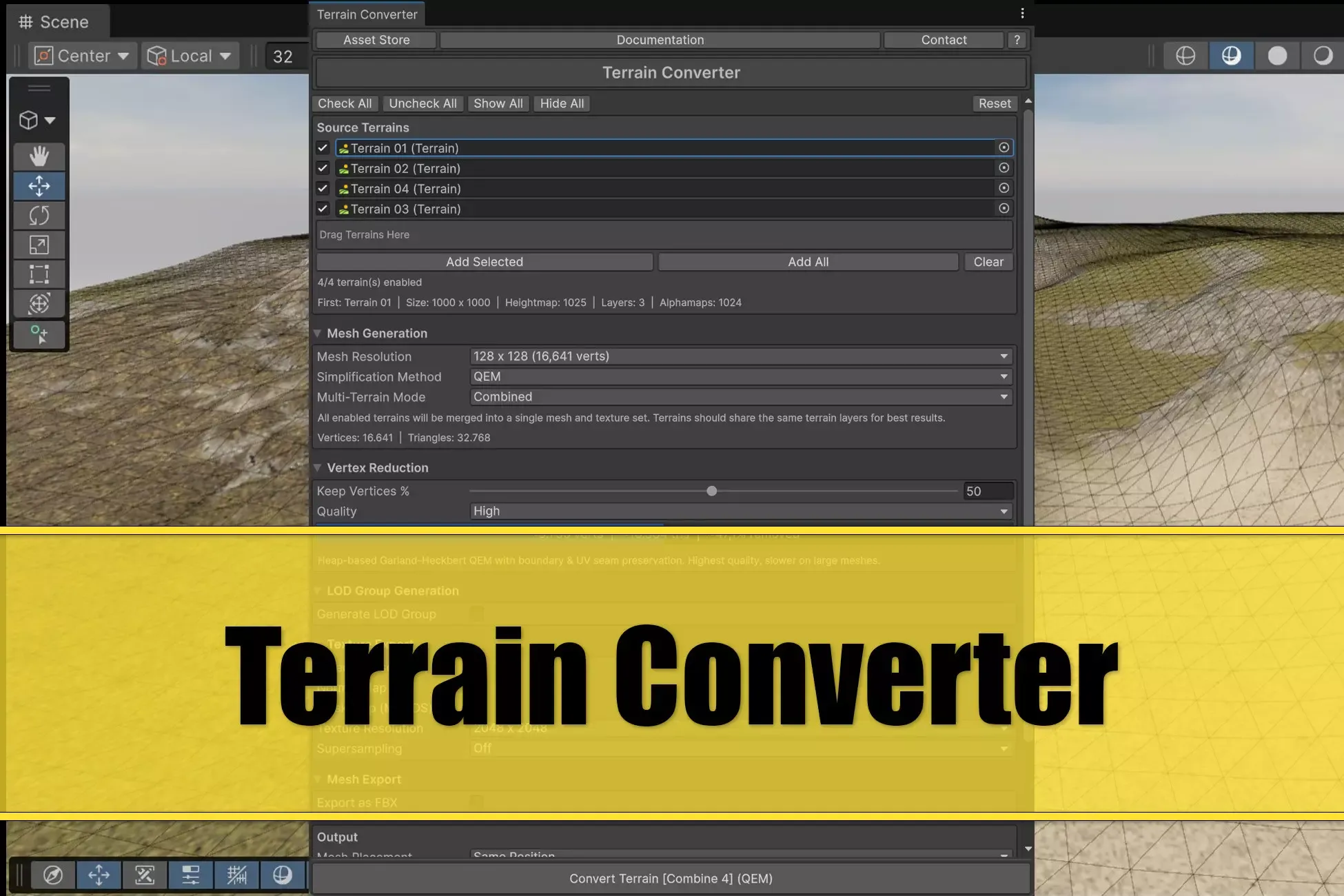
Terrain Converter takes your Unity Terrain and produces a clean, game-ready mesh with blended textures, configurable simplification, and automatic LOD generation. Everything runs inside the editor with GPU-accelerated texture blending and built-in mesh simplification.
The result is a standard mesh prefab with materials, ready to drop into your scene or export as FBX for use in other tools.
The main intent of the creation of this asset was that I wanted to create backdrop mountains using MicroVerse in order to create the immersion of a vast environment for the player.
Upgrade Path
Everyone who owns any of these assets will get this asset at a discount:
Ultimate StampIT! Collection Genesis for MicroVerse
What this is
This asset is aiming at creating low poly terrain from Unity terrain. Especially with the MicroVerse workflow you can e. g. have a center terrain and 8 surrounding terrains which act as backdrop mountains by conversion to low poly mesh.
Requirements
The following is required for this asset:
Unity 6.0 or later Unity 6.3+ for MeshLOD simplification (otherwise Fast QEM and QEM are available) Unity FBX export package: com.unity.formats.fbx package Unity terrain shader Linear color space
Features
Mesh Generation
Generate meshes from your terrain heightmap at configurable grid resolutions from 32×32 up to 1024×1024. The converter samples the heightmap directly and produces a clean, UV-mapped mesh with proper normals and tangents.
Mesh Simplification
Built-in simplification methods to reduce polygon count:
Fast QEM (Quadric Error Metrics): Forstmann simplification with boundary and UV seam preservation. Adjustable keep percentage (1–100%) and three quality presets (Low, Medium, High) QEM (Quadric Error Metrics): Garland-Heckbert simplification with boundary and UV seam preservation. Adjustable keep percentage (1–100%) and three quality presets (Low, Medium, High) MeshLOD (Unity 6.3+): Uses Unity's built-in MeshLodUtility to generate LOD levels directly in the mesh index buffer. Optionally extract a specific LOD level as a standalone flat mesh.
GPU Texture Blending
Terrain layer textures are blended on the GPU using a compute shader. The system reads your terrain's splatmaps and layer settings (tiling, offset, diffuse remap, mask remap, normal scale, metallic, smoothness) and produces ready-to-use textures:
Albedo (BaseColor) - blended diffuse with alpha Normal Map - blended and decoded tangent-space normals Mask Map (MOADS) - metallic, occlusion, detail, smoothness packed
Supports output resolutions from 512×512 to 8192×8192 with optional supersampling (2×, 4×, 8×).
LOD Group Generation
Automatically generates a complete LODGroup with configurable level count (2–5), per-level
screen transition thresholds, and per-level simplification ratios. Each LOD level gets its own
simplified mesh asset. Works with Fast QEM, QEM and MeshLOD simplification.
FBX Export
One-click export to FBX format via Unity's FBX Exporter package. The exported FBX is
automatically configured with correct import settings (normals, tangents, no animation,
readable mesh).
Scene Placement
Place the converted mesh at the same position as the source terrain, or offset it to any side (left, right, front, behind) for easy comparison.
Batch Processing
Convert a list of terrains individually or combine them all into a single mesh.
Sign in to offer a newer .unitypackage for this asset. Uploads are reviewed before they appear.