⭐INVECTOR THIRD PERSON TEMPLATE v2.6.5+ REQUIRED⭐
⭐Middleware For Invector Template v2.7.18+ REQUIRED⭐
⭐Crest Water 4 OPTIONAL⭐
⭐Crest Water 4 BRP FREE⭐
⭐MIS-LockOn v1.2.12+ OPTIONAL⭐
Invector Template (Invector) which is one of the best controllers can be upgraded with MIS and MIS Packages. If you are not familar with MIS yet, please watch this MIS v2 Quick Setup Guide.
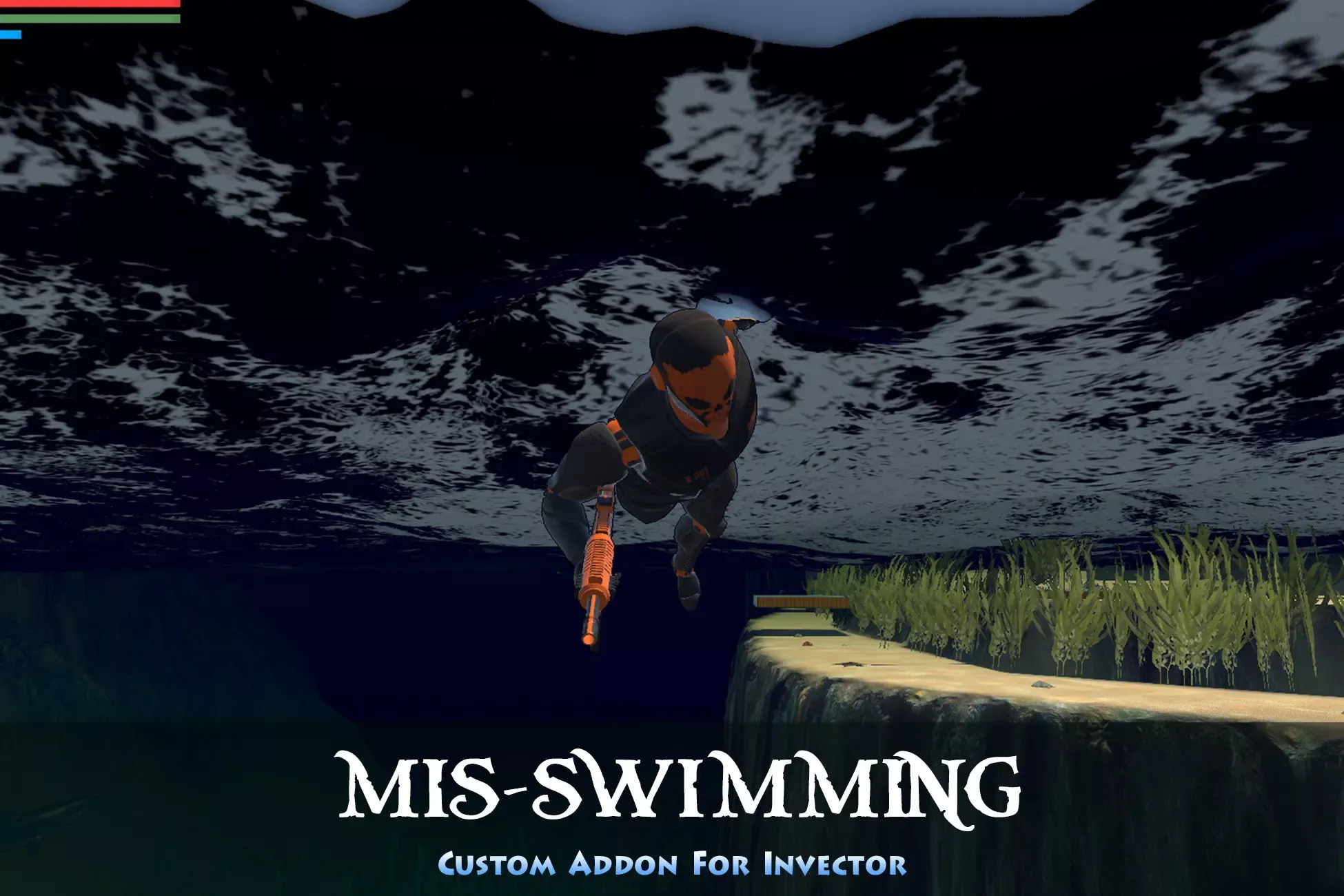
MS-Swimming integrates Invector Templates with almost all features of the Crest Water 4. It provides a very smooth and natural swimming action. Upgrade your game to the next level.
Demo Water Plants: Yughues Underwater Plants v.2
⭐Key Benefits⭐
✅ Provides All-In-One Setup (Invector/MIS add-ons)
✅ Very smooth swimming experience with Crest
✅ Above Water Swimmng Movement
W Rotates and moves horizontally in camera direction
Moves along the water surface when Crest applied
If the Crest wave speed is fast, you can leave the surface
A/D Rotate left/right and move horizontally in the direction perpendicular to the camera
S After rotating 180 degrees with the camera, move horizontally to the front of the character
Left SHIFT (while holding down) Sprint
✅ Under Water Swimmng Movement
W w/wo A/D Moves towards the camera
S After rotating 180 degrees with the camera, move horizontally to the front of the character
A/D Only rotates at spot
✅ Vertical Swimming Movement
Left CTRL Dives vertically
WASD disabled during this action
Space Rises in vertical direction (end when you release the space key or reach the surface)
WASD disabled during this action
✅ Swimming Dash
Works in vertical up/down and normal swimming mode Provides UseContinuousDash option When the Swim Dash is executed, it moves immediately in that direction Swim Dash direction Camera/Character/Move Input direction
✅ Diving Jump
Uses vGenericAction Place triggers where the game situation requires them 1 Diving Jump animation provided ✅ Water Registance
Depending on the entry speed into the water, the character's entry depth is adjusted
✅ Provides 3 types of vThirdPersonCamera states
Swim Idle, Swim Above Water, Swim Under Water
✅ Weapon Lock option
None, Swim Move, Always
✅ Water Trigger Types
Trigger Checks water condition by Trigger collision
When not using Crest wave or using a calm wave
Water Surface Level Trigger is not required
When using a strong Crest wave
Has small restriction on Water Walk feature
NOTE: It will be changed to a Crest Water 4 exclusive version in the future.
✅ Each swimming action speed
Smooth speed transitions according to swimming action Normal, Up, Down, Rotate, Sprint, Swim Dash ✅ Stamina
Sprint, Dash
✅ Water Walk (Melee/Shooter characters only)
Rotation and movement speed control according to water depth
✅ Oxygen
Applied in Under Water Drowning when given oxygen is depleted Breath Sound Effect Breathing sound according to the amount of oxygen remaining when coming to the surface
Dead Gravity When a character dies underwater, it floats to the surface or sinks to the ground depending on the gravity
✅ Combat
Supports Invector Melee/Shooter combat Provides Shooter Swimming IK Adjust and editor Cannot shoot during Vertical Up/Down Provides simple demo fish flock system and a Great White Shark ✅ vGenericAction
Available in water
✅ mvLadderAction
Available in water
✅ mvRagdollWaterResistance
Applies a water resistance effect so that it sinks slowly when ragdolled in water
✅ Collider
Adjusts the collider direction according to the swim action
✅ FX
Swim Water Splash Water splashes from legs when swimming at the water surface
Diving Water Splash Adjust splash size based on water entry speed
Mouth Bubbles Only in the underwater.
Depending on the amount of oxygen remaining, three bubble sound effects are played, and the amount emitted and the sound volume increase.
Swim Dash Shockwave Water Ambient Above/Under water sounds mixing
✅ Crest Water Displacement
Positioning according to the height of the Crest wave The larger and faster the wave, the more Crest displacement and shader error occurs ✅ Crest Water Flow
Changes character position according to Crest water flow A flow that is too strong will make your character unable to move ✅ Crest Water Interaction
Body, Hands, Feet Each Idle/Swim mode ✅ Provides demo fish flock system and Great White Shark
✅ Included 30 animation clips
✅ Provides chained-action between Invector/MIS add-ons
- Refer to the MIS Document
✅ Does not modify Invector core
✅ All MIS packages runs on a feature-based basis
⭐Quick Setup Sequence⭐
#1 INVECTOR
#2 MIS
#3 Crest Water 4 (Optional)
#4 MIS-LockOn (Optional)
#5 MIS-Swimming
⭐Precautions⭐
✅ No refund allowed after downloading
✅ Demo water plants are not included.
⭐Contact Information⭐
✅ Email: mymobilin@gmail.com
Sign in to offer a newer .unitypackage for this asset. Uploads are reviewed before they appear.