📧 Support: octamodius@yahoo.com | Forum
⚙️ Unity Version: 2021.3.27 or newer
The Ultimate Level Design Toolkit for Unity
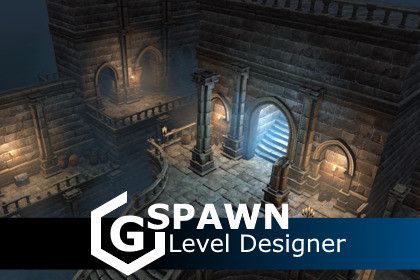
GSpawn is a powerful, intuitive, and fully-featured level design plugin built for the Unity Editor. Whether you're prototyping modular environments or populating vast worlds with props, GSpawn – Level Designer gives you the tools you need to create with speed and precision — all directly inside the Scene view.
🔗 Quick Links
🎬 Learn GSpawn
🚀 Get Started
🔹 Basic Workflow Tutorials
🧱 Modular Building Tutorials
🎨 Decoration & Brush Tools
🧩 Tile Rule System
🌟 Why GSpawn?
GSpawn takes the tedium out of level design by combining powerful features with a streamlined interface. Ideal for indie devs, studios, and level artists.
🔧 Key Features of GSpawn – Level Designer
🧱 Smart Modular Tools
• 3D Tile Rules – Intelligent tile placement with support for ramps and platforms
• Modular Wall Builder – Auto-detects inner/outer corners, includes pillar support
• Extrude Gizmo – Instantly extend walls, floors, or tiles with intuitive controls
• Mirroring System – Mirror across up to 3 planes simultaneously for symmetrical level design
🖱️ Intuitive Placement & Editing
• Curve Spawning – Spawn along editable curves for fences, roads, tree lines, and more
• Grid Snapping – XZ and vertical snapping, auto climb, cursor-aligned grid, adjustable cell sizes
• Props Placement – Axis alignment, embed on surfaces, drag spawn, prefab randomization, offset, scale, and rotation control
• Scatter Brush – Rapidly place randomized prefabs with control over density, slope checks, alignment, and spawn chance
🎮 Physics & Interaction Tools
• Physics-Based Spawning – Drop objects with real-time or instant physics, including height, radius, and rotation jitter
• Rotate & Scale – Rotate and scale objects directly using mouse or keyboard shortcuts
• Erase Tools – Use the erase cursor or 2D/3D brush to remove items with precision
📦 Prefab & Scene Organization
• Prefab Management – Organize into libraries, use search, filters, library profiles, and drag/drop
• Prefab Replacement – Instantly swap instances in the scene with new prefabs
• Object Groups – Organize scene elements into logical groups for easier management
🧰 Advanced Tools & Utilities
• Tile Tools (Segment & Box Spawn) – Integer pattern tiles, fill and height modes, terrain projection, overlap detection
• Selection Tools – Rectangle, box, and segment selections for bulk editing
• Transform Gizmos – Move, rotate, scale, and universal gizmos for precise control
• Custom Shortcuts – Fully configurable hotkeys for faster workflows
🔍 The following asset packs were used in promotional screenshots, the trailer, and tutorial videos, but are not included with the GSpawn – Level Designer plugin:
- Multistory Dungeons – Mana Station
- Village Interiors Kit – 3DForge
- KayKit - Dungeon Remastered Pack – Kay Lousberg
- POLYGON Dungeons - Low Poly 3D Art by Synty – Synty Studios
- Medieval Environment Pack – Manufactura K4
- Fantastic Village Pack – Tidal Flask Studios
- Voxel Blocks Pack – Tsunoa
- Toon Forest Pack – Cat on the Roof
Have fun building — and feel free to reach out with questions.
Sign in to offer a newer .unitypackage for this asset. Uploads are reviewed before they appear.