Trying to reduce your game build to less than 50 MB? Need to see which of your assets are eating up disk space?
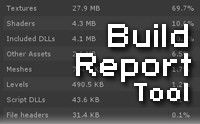
This tool provides a nice front-end for Unity's build info. It shows the assets included when you build and how much storage space each of them take.
WARNING: This plugin does not detect the building of Asset Bundles or Addressables. That includes usage of plugins like VRWorld Toolkit.
Asset Usage/Dependencies: See which asset is using which, to let you understand why an asset is being included in the build.
Unused Assets List: Maybe you have files you don't use anymore? See what assets are not included in your build with the Unused Assets List!
Save to XML: Save your build reports to XML files! Store multiple build reports for reference, or perhaps send them to your teammates.
Project Settings: See what build settings were used on the project upon time of building. Useful for Continuous Integration systems when reviewing settings on automated builds.
DLL List: See exactly what managed DLLs are getting included in your build and how much space they take.
Also works on Personal Edition and mobile.
For support or inquiries, send a tweet to @AnomalusUndrdog, send me a private message on the Unity forums, or join the discussion in our Unity forum thread
Sign in to offer a newer .unitypackage for this asset. Uploads are reviewed before they appear.