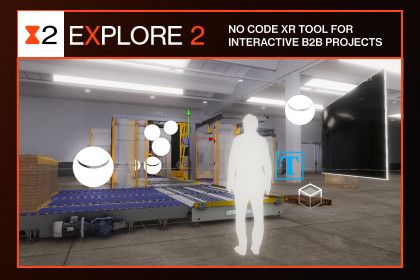
AT+Explore lets you create multiplatform interactive projects without coding. It’s highly recommended for AEC experts but it’s also perfect for fast prototyping and B2B projects.
AT+Explore lets you create multiplatform interactive projects without coding. It’s highly recommended for AEC experts but it’s also perfect for fast prototyping and B2B projects.
In literally 3 clicks you can switch from a VR scene to a 360 mobile scene with touchscreen and joystick support.
Test builds
You can download the test builds here:
– Android AR One-to-One (latest update v1.4.6) LINK
– Oculus Quest (latest update v1.2) LINK
– Windows mouse+keyboard [Coming soon]
– Windows Steam VR [Coming soon]
✅INTERACTIONS
A super simple interaction system working on every supported platform.
Our interaction pipeline gives you the opportunity to create an interactive experience of your 3D models without coding.
Built-in interactions
– Open Doors
– Open Drawers
– Change Materials
– Drag Objects
Action Sequence system
If you want something more you can use an integrated visual scripting system. Here you can find all available nodes.
✅SCENE
In the scene tab you can tweak all the navigation/exploration options of the scene, like speeds, layers, UI etc.
✅BUILD
One plugin and one scene for all the platforms below. All interactions will seamlessly work everywhere
– Android/iOS AR (Download the test APK here)
– Pico Neo 2
– Oculus Quest and Quest 2
– Oculus Rift S
– Oculus Rift
– Oculus GO
– HTC Vive and Vive Pro (Open VR)
– Valve Index (beta support)
– Mobile VR (Cardboard)
– Android/iOS Fullscreen/360
– PC Fullscreen/360 with keyboard, mouse, Joystick and Touch support
⚠️AT+Explore is part of the ArchToolkit series, a list of Unity plugins made for designers and architects.
– AT+VideoClip lets you create sharable videos of your scene in no time
– AT+Sync let you syncronize your BIM model to Unity
– AT+Materials is a selection of CC0 PBR materials available on demand
Sign in to offer a newer .unitypackage for this asset. Uploads are reviewed before they appear.