Author by Harpia Games Studio
Prefab Brush - Easy Object Placement Tool & Level Designer
Documentation Here Check the Release Notes for Newly Added Features 🎁 FREE GIFT: Once you buy this asset, you will get Ultimate GameObject Replacer for free! Check the documentation for more details . Features: 🖌️ Mes...
Likes
0
Updated
08/23/2026
Available builds
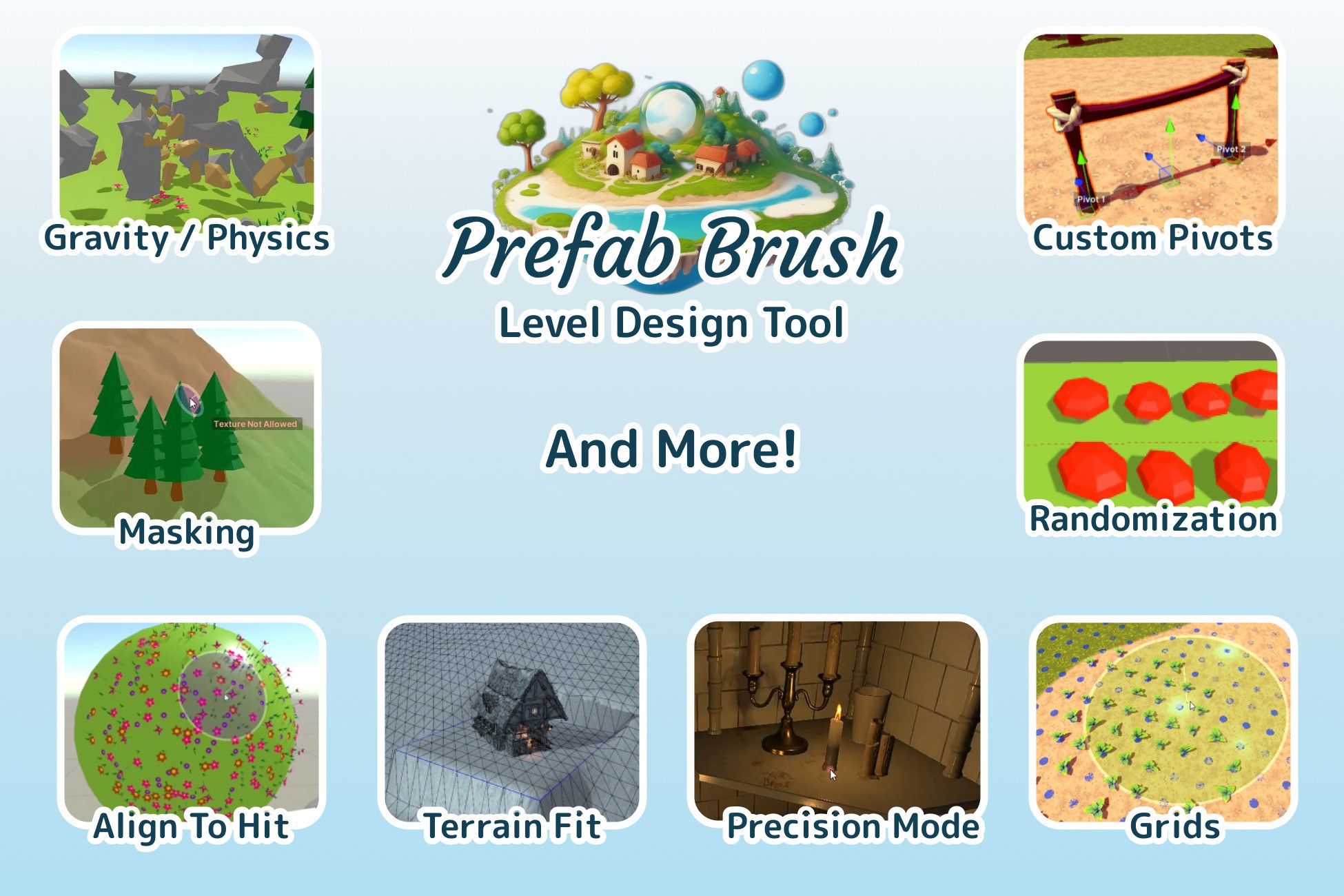
Documentation Here Check the Release Notes for Newly Added Features 🎁 FREE GIFT: Once you buy this asset, you will get Ultimate GameObject Replacer for free! Check the documentation for more details . Features: 🖌️ Mesh Placement: Place prefabs on vertices, edges, or faces of existing meshes without the need for physical colliders. 🖌️ Physics Placement: Utilize Unity's physics engine to place objects in a way that they naturally interact with the existing environment, including gravity and collision checks. 🖌️ Precision Mode: A specialized mode for placing single objects with high precision. Best suited for detailed indoor scenes where exact positioning is crucial. 🖌️ Multiple Mode: Enables the placement of multiple objects at once, either randomly or in a pattern. Ideal for populating large outdoor terrains and environments quickly. 🖌️ Eraser Mode: Quickly delete placed objects, with layer and tag mask support. Also supports physics-based removal, allowing for natural object fall-off when something is erased. 🖌️ Custom Pivots & Attractors: Set pivot points anywhere in your prefab for precise placement. Use Attractors to snap custom pivots to designated points for perfect alignment. You can also use custom pivots even when Prefab Brush is not on! 🖌️ Vertex Snapping: Snap your objects to the vertices of existing scene meshes for accurate placement. 🖌️ Presets: Save your favorite placement configurations as presets, so you can quickly switch between different setups without having to manually adjust settings each time. 🖌️ Align To Hit: Automatically align the orientation of your prefab to match the surface angle of the object it is placed upon. This ensures natural placement, especially on irregular terrains. 🖌️ Randomize Scale, Rotation & Offset: Add an element of variability to your prefabs by randomizing their scale, rotation, and positional offset. This helps to create more organic and dynamic scenes. 🖌️ Smart Parenting : Automatically organize the placed prefabs under relevant parent objects in the Unity hierarchy. 🖌️ Slope / Angle Filter: Filter placement areas based on the slope or angle of the surface, allowing for more controlled and context-appropriate prefab placement. 🖌️ Texture Filter On Terrains Filter : Limit prefab placement to specific terrain textures. Useful for placing vegetation only on "grass" areas or rocks only on "mountain" areas, for example. 🖌️ Quick Actions with Hotkeys : Keyboard shortcuts for common actions to accelerate your workflow. Quick placement, deletion, and adjustment of prefabs can be done with a single keystroke. 🖌️ Grid Placement: Place objects in a grid pattern with adjustable spacing and rotation. Ideal for creating uniform layouts, like tiled floors or aligned rows of objects. 🖌️ Easy Prefab Picking: Select and place prefabs directly from your scene or project tab, allowing for a more intuitive and visual method of choosing what to place next. 🖌️ Stylus Pen Integration: Dynamically Adjust Brush Strength and Radius with Pen Pressure 🖌️ Free Transforms Tools: Hold a shortcut key while moving your mouse to fast free Rotate, Offset and Scale your object! 🖌️ Fancy Effects (New!): Play sounds and light when placing your objects. (Looks Cool While Recording. Just 4 Fun. (Optional) 🖌️ Terrain Fit (New!): Reshapes the terrain around placed objects. Fine-tune size, offset, and smoothness for precise and polished results in Precision Mode. Also clears Terrain trees automatically during placement. Support Multiple Terrains. See More. 🖌️ Edit Mode (New!): Easily reposition, rotate, scale, and align placed objects to the ground. Includes editable filters, adjustable radius, and precision editing tools. 🖌️ Alignment Tool (New!): Easily arrange child objects into different layouts, including Line, Grid, Circle, Arc, and Random Scatter. 🖌️ Constant Updates: New features are added regularly. Have a cool idea? We'd love to hear it— submit it anytime! See the new features in action in Trailer 2 ! And More! This asset is updated regularly with new features and improvements . For detailed information, please check the Release Notes tab. This asset uses Unity’s multithreaded Job System and Compute Shaders, enabling smooth and responsive interactions even in large, complex scenes . ⚠️ Important Note: The assets shown in videos and images are for demonstration purposes only and are not included in the Prefab Brush package. Check documentation for Tutorials, More Images, GIFs, and limitations Documentation Here Supported Unity Versions: - Unity 6.5 - Unity 6.4 - Unity 6.3 - Unity 6.2 - Unity 6.1 - Unity 2023.x - Unity 2022.x 🎁 FREE GIFT: Once you buy this asset, you will get Ultimate GameObject Replacer for free! Check the documentation for more details . Other Assets PerfectShot - Marketing & Icons - Showcase your game to the world. Quick Animation Events - Manage Animation Events Easily Low Poly Color Changer - Change Low Poly Models' Colors Icon Creator - Create Icons For your Prefabs
Prefab Brush - Easy Object Placement Tool & Level Designer
08/23/2026
Price